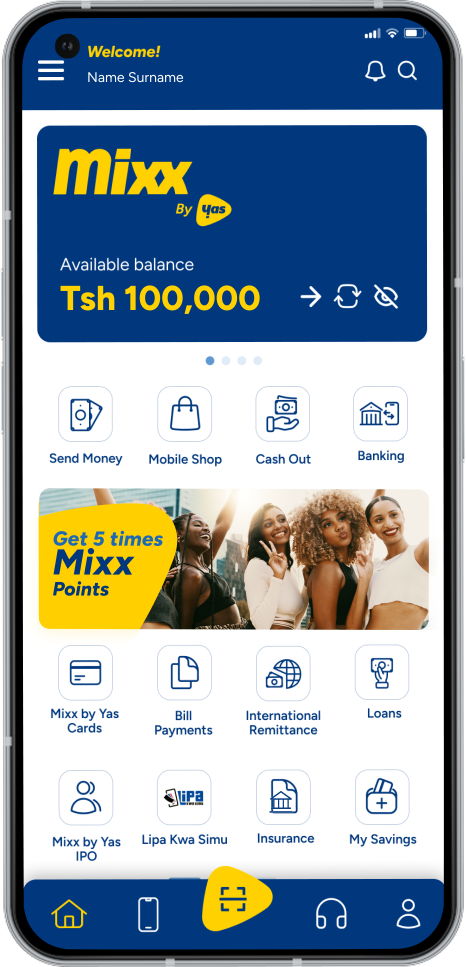
Build a secure financial future with simple, flexible personal savings powered by Mixx.
master your money effortlessly
Kibubu
Build a secure financial future with simple, flexible personal savings powered by Mixx.
An innovative savings product, designed for convenience and growth. With Kibubu, you can
Save up to 10 million TZS effortlessly through your Yas Sim Card in a digital wallet.
Earn up to 6% annually as your savings grow. thanks to the partnership with BOA bank.
Repeat the cycle of saving and earning with ease, transferring funds from your Mixx wallet to your Kibubu savings wallet anytime.
It’s simple, memorable, and captures the digital convenience and financial rewards that make Kibubu stand out.
Start your savings journey today with Kibubu: Save. Earn. Repeat.!
How to access Kibubu via USSD menu
Save money with Kibubu
Dial *150*01#
Select Option 7 – Financial Services
Select Option 8 – Savings
Select Option 1- Kibubu
Select option one to add your saving
Enter your Mixx PIN to confirm
You will get a confirmation message of your saving record.
Withdraw money from Kibubu
Dial *150*01#
Select Option 7 – Financial Services
Select Option 8 – Savings
Select Option 1- Kibubu
Select Option 2 – to withdraw from your savings
Enter your Mixx PIN to confirm
You will get a confirmation message of your saving record.
Check your Kibubu balance
Dial *150*01#
Select Option 7 – Financial Services
Select Option 8 – Savings
Select Option 1- Kibubu
Select 3 – Kibubu Balance
Enter your Mixx PIN to check your balance.
You will get a confirmation message of your Kibubu balance.
How to access Kibubu Via Mixx Super App
Save money with Kibubu
Open your Mixx Super App
Select Financial services
Select Add your savings to add the amount you want to save.
Enter your Mixx PIN to confirm
You will get a confirmation message of your saving record.
Withdraw money from your Kibubu
Open your Mixx Super App
Select Financial services
Select Withdraw your savings to add the amount you want to withdraw.
Enter your Mixx PIN to confirm
You will get a confirmation message of your saving record.
Check your Kibubu balance
Open your Mixx Super App
Select Financial services
Select Check Balance
Enter your Mixx PIN to confirm
You will get a confirmation message of your Kibubu balance
Get the Mixx Super App and enjoy the simplest, fastest, and most convenient mobile money transactions
Frequently Asked Questions
Find solutions fast. Get the most out of your mobile money experience.
What is Kibubu?
Kibubu is a service that allows a customer to save individually by connecting the main Mixx account to the Kibubu account
How does Mixx Kibubu works?
Kibubu connects the main Mixx account with the Kibubu account which enables the customer to transfer money from one account to another for saving and withdraw purpose.
Are there any charges upon using Kibubu service?
No fee will be charged when using Kibubu service
How can i get Kibubu service with USSD?
Dial * 150 * 01 #, Select (7) Financial Services, >> Savings (8) >>Kibubu (1), and follow the instructions.
What is the minimum amount that a customer can save in a Kibubu account?
The customer can save as low as TZS 100 to any amount on Kibubu as long as that amount is in the main Mixx account.
What is the minimum amount that a customer can withdraw from his Kibubu account?
The customer can withdraw any amount of options from Kibubu to the maximum amount available in his/her Kibubu account
Can a customer view their Kibubu balance?
Yes, the Customer can check the balance of his/her Kibubu account via USSD by dialing * 150 * 01 # then Select (7) Financial Services, then select (8) Savings then select (1) Kibubu then select (3) Kibubu Balance then enter your Mixx PIN to check your balance.
Will the customer earn anything by saving with Kibubu?
Yes, The customer will receive a monthly interest and the end of each month to their main Mixx Wallet.
When and how will the dividend be paid?
Gawio will be paid on the first few working days of each month on the main Mixx account.
When can a customer withdraw money from his Kibubu account?
The customer can withdraw money from his Kibubu account up to the maximum amount available in that account whenever he needs to do so.
Incase of service disruption and queries who should we contact?
Incase of service disruption and query resolution, please dial 100